
Unlocking your Frigidaire induction cooktop can be confusing, especially if you’re using it for the first time or if the control panel suddenly shows the “LOC” or “Lock” indicator. Many users worry they might break something by pressing the wrong button, but in most cases, unlocking is simple and safe. This guide explains exactly how to unlock your cooktop, why locks exist, what to do when the usual methods don’t work, and how to avoid common mistakes. We’ll also cover safety, troubleshooting, and frequently asked questions, so you can use your cooktop confidently.
Why Induction Cooktops Have A Lock Feature
Induction cooktops, including those from Frigidaire, come with a child lock or control lock feature. This is a safety measure to prevent accidental changes to the settings, especially if you have kids or pets at home. The lock also helps when you are cleaning the surface, so you don’t turn on a burner by accident.
But sometimes, the lock can activate by mistake—maybe a sleeve brushes the control panel, or the unit resets after a power outage. Knowing how to unlock the cooktop means you won’t have to call for service for a simple issue.
How To Unlock A Frigidaire Induction Cooktop
Unlocking your Frigidaire induction cooktop usually takes just a few seconds. The process is similar on most models, but it’s always smart to check your manual if you’re unsure.
Standard Unlocking Steps
1. Locate The Lock Key
Most Frigidaire induction cooktops have a button labeled “Lock,” “LOC,” or an icon of a key or padlock. This is usually on the control panel, near the power or settings buttons.
2. Press And Hold The Lock Key
Gently press and hold the lock button for 3 to 5 seconds. On many models, you’ll hear a beep, and the lock indicator will disappear.
3. Check The Display
If the “LOC” or padlock symbol disappears, your cooktop is now unlocked and ready for use.
4. Test A Burner
Try turning on a burner. If it works, the cooktop is successfully unlocked.
When The Lock Button Is Not Obvious
On some Frigidaire induction cooktops, the lock feature is not marked clearly. Sometimes, the lock is activated or deactivated by pressing a combination of buttons. For example:
- Press and hold both the “+” and “-” buttons together for 3 seconds.
- Press and hold the power button for 5 seconds.
Always refer to your user manual for your exact model. If you don’t have the manual, you can usually find it on the Frigidaire website by searching your model number.
Unlocking Different Frigidaire Induction Models
Frigidaire makes several types of induction cooktops: built-in, slide-in, and freestanding. The unlocking method can vary slightly. Here’s a quick comparison:
| Cooktop Type | Common Unlock Method | Display Symbol |
|---|---|---|
| Built-in (Gallery Series) | Hold “Lock” for 3 sec | LOC, Padlock Icon |
| Slide-in | Hold “Power” for 5 sec | LOC |
| Freestanding | “+” and “-” together for 3 sec | Key Symbol |
If your model is different, always check your manual or the Frigidaire support site.
Common Reasons The Cooktop Gets Locked
Understanding why your Frigidaire induction cooktop locks itself can help you avoid frustration in the future.
- Accidental button press: You might brush the panel while cleaning or cooking.
- Child safety: The lock feature turns on to prevent children from changing settings.
- Power outage: Some models reset to locked mode after a power cut.
- Moisture: Wet or sticky fingers can trigger the lock when wiping the panel.
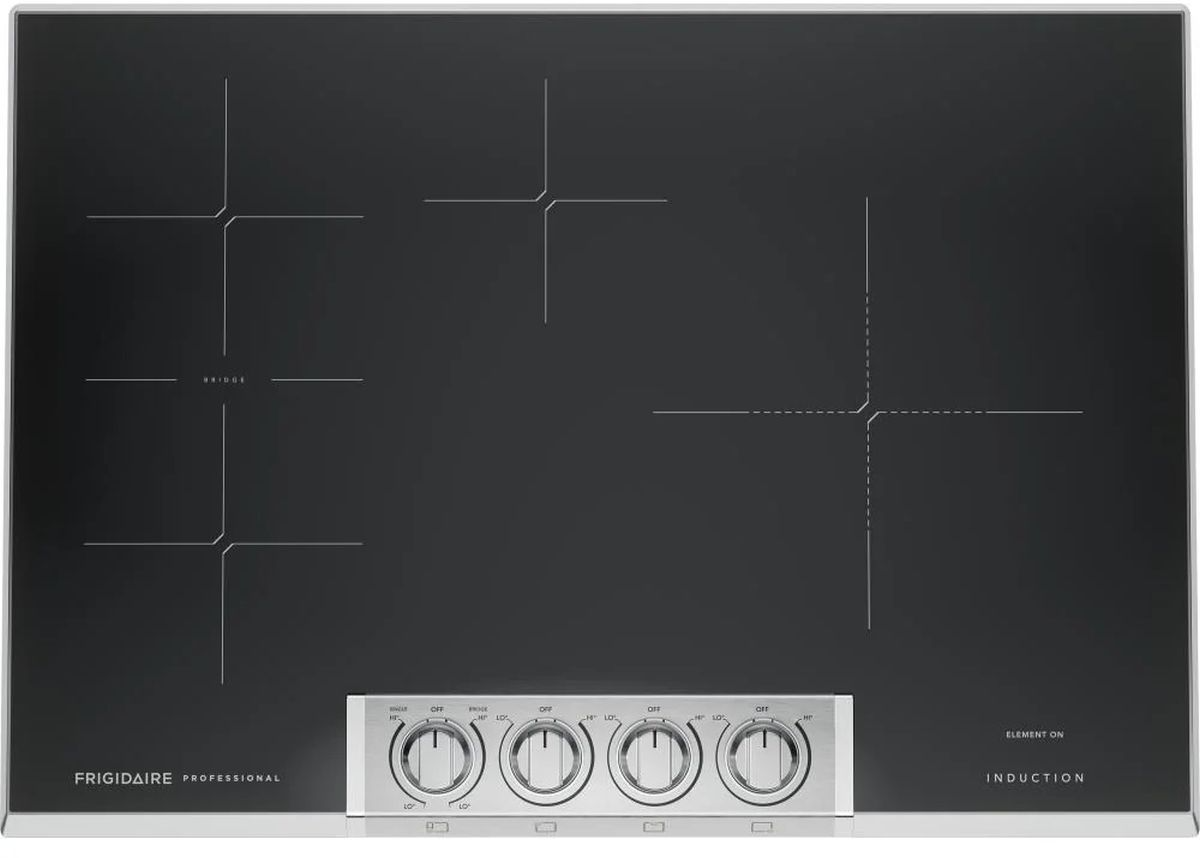
Credit: www.primeappliance.com
Troubleshooting: When The Cooktop Won’t Unlock
Sometimes, the usual unlocking method doesn’t work. Here’s what to check before calling for repairs:
Check For Power Issues
If the cooktop doesn’t respond at all, it may not be getting power. Try these steps:
- Make sure the cooktop is plugged in properly.
- Check your circuit breaker or fuse box.
- Test another appliance in the same outlet.
Surface Or Panel Problems
A dirty or wet control panel can confuse the sensors.
- Wipe the control panel with a dry, soft cloth.
- Make sure your hands are dry.
- Avoid using cleaners that leave residue.
Software Glitch Or Reset Needed
If the display is stuck, reset the cooktop:
- Turn off the circuit breaker for the cooktop for 1 minute.
- Turn the breaker back on.
- Try unlocking again.
Model-specific Quirks
Some Frigidaire induction cooktops have “demo” or “showroom” modes that look like the cooktop is locked. If nothing works, check the manual for “demo mode” or call customer support.
Table: Troubleshooting Unlock Problems
Here’s a quick reference for common unlock issues and solutions:
| Problem | Possible Cause | Solution |
|---|---|---|
| Cooktop unresponsive | No power | Check outlet, breaker |
| Buttons don’t work | Wet/dirty panel | Clean and dry panel |
| Lock won’t disengage | Wrong unlock method | Check manual, try alternate steps |
| Display says “DEMO” | Demo mode active | Follow manual to exit demo mode |
What To Do If You Lose Your Manual
If you don’t have your original manual, don’t worry. You can:
- Search for your model number on the Frigidaire website.
- Look for a label on the cooktop frame or underside.
- Download the manual as a PDF for free.
This is much safer than guessing, especially if your model uses a unique unlock sequence.
Preventing Accidental Locking
A little care can prevent accidental locks:
- Wipe controls gently instead of pressing hard.
- Use the lock feature only when needed (like cleaning).
- Teach family members how the lock works.
If you have small children, the lock is your friend. But if you cook often, it’s better to leave the lock off when not needed.

Credit: www.youtube.com
Safety Tips For Using Frigidaire Induction Cooktops
Unlocking the cooktop is just one part of safe cooking. Here are a few extra tips for everyday use:
- Only use induction-ready cookware. Regular pots may not work or could cause errors.
- Keep the control panel clean. Moisture can trigger unwanted actions.
- Don’t leave metal objects (like spoons or lids) on the surface—they can heat up fast.
- Don’t use wet hands when operating the controls.
- Unplug during long absences (like vacations) if possible.
Table: Induction Cooktop Safety Vs Gas And Electric
To show why induction cooktops are considered safer, here’s a quick comparison:
| Feature | Induction | Electric | Gas |
|---|---|---|---|
| Surface stays cool | Yes | No | No |
| Child lock available | Yes | Yes (some) | No |
| Open flame risk | No | No | Yes |
| Energy efficiency | ~85-90% | ~70-75% | ~60-65% |
Non-obvious Insights Most Owners Miss
Many new users think a locked cooktop means something is broken. But on induction cooktops, the lock is a built-in safety feature, not a sign of damage or a defect. Also, some people try to force the controls, but pressing too hard can damage the panel. Always use a light touch.
Another important detail: if you have a power outage, some models will lock as soon as power returns. This is not a malfunction—it’s a safety step to keep your kitchen safe if you’re not there when power is restored.
When To Call For Service
If none of the unlocking steps work, or the cooktop keeps locking itself, you might have a hardware problem. Signs you need professional help:
- The display flashes random symbols.
- Buttons don’t respond at all, even after cleaning and resetting.
- You smell burning or see smoke.
Don’t try to open the cooktop or repair the panel yourself—this can void your warranty or cause injury.
Credit: www.frigidaire.com
Where To Find More Help
Frigidaire’s support website has downloadable manuals, troubleshooting guides, and contact forms. If you need direct help, you can call their customer service for guidance. For general information about induction cooking, you can check Wikipedia’s induction cooking article.
Frequently Asked Questions
How Do I Know If My Frigidaire Cooktop Is Locked?
If your cooktop shows “LOC,” a padlock icon, or a key symbol on the display and none of the burners respond, it is locked. You can also check if the control panel ignores all input except the lock function.
Can I Disable The Lock Feature Permanently?
No, most Frigidaire induction cooktops do not allow you to turn off the lock feature completely. The lock is a required safety component. However, you can leave the cooktop unlocked unless you need the safety function.
What Should I Do If The Unlock Button Doesn’t Work?
Try cleaning and drying the control panel and your hands. If that doesn’t help, reset the cooktop by turning off the circuit breaker for one minute. If it’s still locked, check your user manual for model-specific instructions.
Is Unlocking The Cooktop Safe For Children?
Unlocking is safe if you supervise children in the kitchen. Always relock the cooktop when not in use to prevent children from turning it on or changing settings.
Will Unlocking Erase My Cooking Settings?
No, unlocking the cooktop will not erase your programmed settings. However, if there was a power outage, you may need to reset your clock or timer.
Unlocking your Frigidaire induction cooktop is usually quick and easy once you know the steps. If you run into problems, don’t panic—most issues are solved with a simple button press or a power reset. Always check your model’s manual for details, and use the lock feature to keep your kitchen safe and stress-free. With these tips, you’ll enjoy the speed, safety, and efficiency of induction cooking without the frustration of a locked control panel.

Hello, This is Annie Walker, a 38-year-old blogger, founder, and editor of Cookware Guider from NY, USA. I am a cookware fanatic and passionate cooker. I love to cook with different types of cooking appliances (example: all types of cookware, rice cookers, slow cookers, etc) almost every day in my kitchen. I love to share my experience with my readers in my blog. Also, I enjoy helping people to solve their problems through my website. You can follow me on Twitter & Pinterest. To know details about my blog please check the about us page.