
The Thermador induction cooktop is a modern kitchen appliance that changes the way people cook. Its fast heating, precise control, and safety features are popular with home chefs and professionals. But using an induction cooktop is different from traditional gas or electric stoves. Many first-time users feel confused by the controls, cookware requirements, and unique features. This guide will help you understand the essentials of the Thermador induction cooktop, so you can cook confidently, use its advanced options, and avoid common mistakes.
How Induction Cooking Works
Induction cooktops use electromagnetic energy to heat pots and pans directly. Unlike gas burners, there is no open flame. Unlike electric coils, the surface doesn’t get as hot. When you place a compatible pan on the induction zone, the cooktop creates a magnetic field. This field causes the pan to heat up quickly, but the cooktop itself stays cool except under the pan.
The result: faster cooking, less energy wasted, and safer operation. For example, water boils about 25–30% faster on induction compared to traditional electric stoves. The cooktop can be cleaned easily because spills don’t burn onto the surface.
Choosing The Right Cookware
Induction cooktops only work with certain types of pots and pans. The cookware must be made of magnetic materials such as cast iron or stainless steel. Aluminum, copper, or glass pans will not work unless they have a magnetic base.
To check if your pan is compatible, try this simple test:
- Hold a magnet to the bottom of the pan.
- If the magnet sticks firmly, the pan will work.
- If the magnet does not stick, the pan is not suitable.
A common mistake is using non-magnetic cookware, which causes the cooktop to beep or not turn on. Investing in induction-ready cookware ensures reliable performance.
Cookware Compatibility Table
Here’s a quick comparison of common cookware types:
| Cookware Material | Induction Compatible? | Notes |
|---|---|---|
| Cast Iron | Yes | Heats evenly, good for searing |
| Stainless Steel | Yes (if magnetic base) | Many brands are induction-ready |
| Aluminum | No (unless with magnetic base) | Check for induction symbol |
| Copper | No (unless with magnetic base) | Rarely compatible |
| Glass/Ceramic | No | Will not work |
Basic Setup And Controls
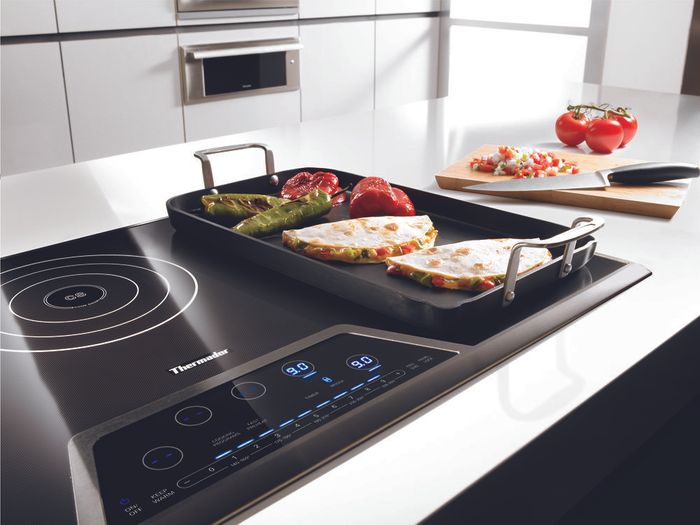
The Thermador induction cooktop has a touch control panel with clear icons. Here’s how to start cooking:
- Power On: Press the main power button. The cooktop lights up.
- Select Cooking Zone: Touch the area on the panel that matches your pan placement.
- Set Power Level: Use the slider or plus/minus buttons to set the heat. Most Thermador models offer 9–15 levels.
- Place Pan: Put your compatible pan on the selected zone. The cooktop will detect it and start heating.
- Start Cooking: Adjust the power as needed. For boiling water, use higher levels; for simmering, use lower levels.
Removing the pan will stop heating automatically. This helps prevent accidents and saves energy.
Control Panel Comparison
Different Thermador models have slightly different control layouts. Here’s a brief comparison:
| Model | Control Type | Power Levels | Special Features |
|---|---|---|---|
| Masterpiece Series | Touch Slider | 15 | PowerBoost, HeatShift |
| Freedom Series | Full Touchscreen | 9 | Pan Recognition, MoveMode |
| Professional Series | Touch Buttons | 15 | Auto Shutoff, Timer |
Using Advanced Features
Thermador induction cooktops are known for their advanced options. Let’s look at the most useful features:
Powerboost
PowerBoost increases the heat output for rapid boiling or searing. When you activate PowerBoost, the cooktop sends maximum power to the zone for a short time (usually 5–10 minutes).
- To activate, select your cooking zone and press the PowerBoost icon.
- PowerBoost is great for boiling water or stir-frying, but not for delicate foods.
Heatshift
HeatShift lets you move your pan between different temperature zones. For example, you can sauté onions at high heat, then slide the pan to a lower heat zone to simmer.
- This feature saves time and prevents burning.
- Only available on select models.
Pan Recognition
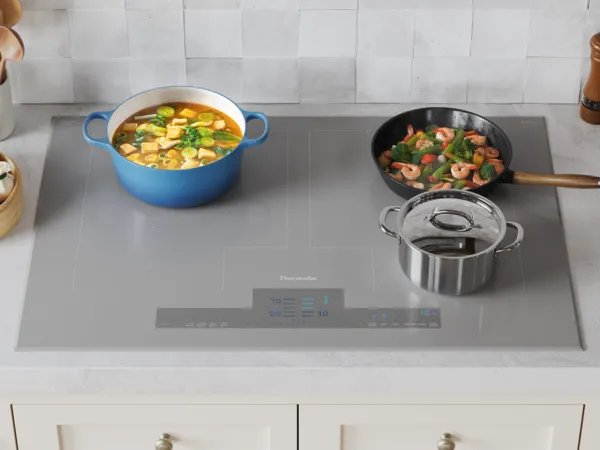
With Pan Recognition, the cooktop knows where your pan is placed. If you move the pan, the heat follows it. This is useful for cooking with multiple pots or shifting positions.
- If you remove the pan, the cooktop stops heating.
- If you return the pan, it resumes at the last setting.
Movemode
MoveMode allows you to transfer cooking settings from one zone to another. If you move a pan, the cooktop remembers the power level and timer.
- MoveMode is helpful when juggling several dishes.
Setting Timers And Safety Functions
Thermador induction cooktops offer built-in timers for each zone. You can set cooking times, and the cooktop will turn off the heat automatically.
- To set a timer, select the zone, press the timer icon, and adjust the time.
- The timer helps prevent overcooking and saves energy.
Safety functions include child lock, automatic shutoff, and residual heat indicators. The child lock prevents accidental changes to settings. The residual heat indicator warns you if the surface is still hot after cooking.
Cleaning And Maintenance Tips
Induction cooktops are easier to clean than gas or electric stoves. Because spills do not burn onto the surface, you can wipe them away quickly.
Follow these steps for cleaning:
- Wait until the cooktop cools down.
- Use a soft cloth or sponge with mild soap.
- Avoid abrasive cleaners or scouring pads.
- For stubborn stains, use a ceramic cooktop cleaner.
Regular cleaning keeps your cooktop looking new and working efficiently. Never use steel wool or harsh chemicals, as they can scratch the glass surface.
Credit: www.plazaelectronicsandappliance.com
Common Mistakes And Troubleshooting
Many new users make simple errors with induction cooktops. Here are some common mistakes and solutions:
- Using the wrong cookware: The cooktop will not heat if the pan is not induction-compatible. Always check with a magnet.
- Touching the wrong controls: Some models have sensitive panels. Use dry fingers and avoid pressing too hard.
- Pan not centered: If the pan is too small or not centered, the cooktop may not detect it. Place the pan properly.
- Cooktop not powering on: Check if the cooktop is plugged in and the circuit breaker is on.
- Beeping or error codes: Read the manual for error codes. Many errors are due to cookware or control panel issues.
If you encounter persistent problems, contact Thermador customer service or consult their official troubleshooting guide.
Cooking Examples And Performance
Induction cooking is famous for its speed and precision. Here are practical examples:
- Boiling water: A Thermador induction cooktop can boil 2 liters of water in 5–6 minutes, compared to 8–10 minutes on a standard electric stove.
- Simmering sauces: Low power levels keep sauces from burning. The cooktop adjusts heat instantly.
- Frying eggs: Even heat distribution gives consistent results without sticking.
Induction Vs. Gas And Electric Performance
For a quick comparison:
| Cooking Task | Induction | Gas | Electric |
|---|---|---|---|
| Boiling 2L Water | 5–6 min | 7–8 min | 8–10 min |
| Simmer Control | Excellent | Good | Fair |
| Heat Distribution | Even | Varies | Varies |
| Cleaning | Easy | Moderate | Moderate |

Credit: www.youtube.com
Energy Efficiency And Cost Savings
Induction cooktops are more efficient than traditional stoves. About 90% of the energy is used for cooking, compared to 40–55% for gas and 65–70% for electric coils. This means lower utility bills and less heat wasted in the kitchen.
Over a year, you can save up to 20–30% on energy costs. Plus, the faster cooking times mean less time spent in the kitchen.
Practical Tips For Daily Use
Here are some expert tips to get the best results from your Thermador induction cooktop:
- Always use flat-bottomed pans for even heating.
- Avoid dragging cookware on the glass surface to prevent scratches.
- Use the PowerBoost feature for quick tasks like boiling or searing.
- Clean spills immediately to prevent stains.
- Set timers for multitasking and avoid overcooking.
- Keep the control panel dry for accurate operation.
- For delicate dishes, start with low power and increase as needed.
A non-obvious insight: Induction cooktops are sensitive to pan size. If you use a pan that is too small for the zone, the cooktop may not activate. Always match pan size to the cooking zone.
Another useful tip: When frying or sautéing, preheat the pan at a lower setting, then increase the power. This helps prevent sticking and uneven cooking.
Credit: www.thermador.com
Frequently Asked Questions
How Do I Know If My Cookware Is Induction Compatible?
Check the bottom of your pan with a magnet. If the magnet sticks firmly, it is induction compatible. Many new pans have an induction symbol. Avoid aluminum, copper, or glass unless they have a magnetic base.
What Does The Powerboost Feature Do?
PowerBoost gives extra power to a cooking zone for a short time. It’s perfect for boiling water or searing meat. After a few minutes, it returns to normal power to prevent overheating.
Is It Safe To Touch The Cooktop Surface During Cooking?
The glass surface stays cool except under the pan. You can touch areas away from the cooking zone safely. But be careful—after cooking, the surface under the pan may be hot for a short time.
Why Does My Cooktop Beep Or Show An Error Code?
Most beeps or error codes mean there is a problem with the cookware or controls. Check if your pan is induction-ready, centered, and the control panel is clean and dry. Consult your manual for specific error codes.
Where Can I Find Official Thermador Support And Manuals?
You can visit the official Thermador website for manuals, troubleshooting guides, and customer support. For more details on induction technology, see Thermador Official Site.
A Thermador induction cooktop offers powerful, efficient, and safe cooking. With the right cookware, proper use of controls, and advanced features, you can enjoy faster meals and cleaner kitchen routines. Learning these basics—and a few expert tricks—will help you get the most from your cooktop every day.

Hello, This is Annie Walker, a 38-year-old blogger, founder, and editor of Cookware Guider from NY, USA. I am a cookware fanatic and passionate cooker. I love to cook with different types of cooking appliances (example: all types of cookware, rice cookers, slow cookers, etc) almost every day in my kitchen. I love to share my experience with my readers in my blog. Also, I enjoy helping people to solve their problems through my website. You can follow me on Twitter & Pinterest. To know details about my blog please check the about us page.